In July of 2016 I decided I wanted to start a new project. Something straightforward,
that I could handle quickly to flex some under-used muscles & get back into
the programming game. But I wanted a problem with some meat to it. That’s
when I decided to write a Sudoku helper program.
Note: In this post I’m
not going to highlight any of my code. There are plenty of Sudoku code example
out there & you are welcome to review my Github if you’d like to take a
look at my project. I am going to chronicle my reasons for starting, the evolution
of the project & how I managed the various features that ended up in the
project.
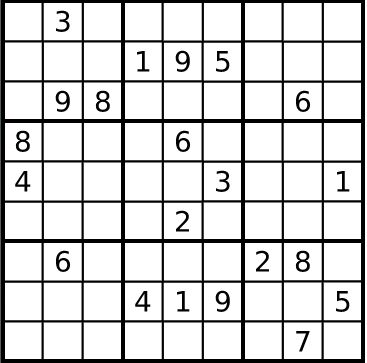
To start with, you should know that Sudoku is comprised of 81 separate boxes,
each of which must contain a digit from 1 to 9 when the puzzle is complete.
Each digit can be used once in each row, once in each column & once in each
block. (You can watch this
YouTube video to get the basics).
I am not a Sudoku expert, in fact I rarely play at all; mostly when I’m
stuck on a plane and have grown bored with the books, music & podcasts and
resorted to flipping through the magazine in the seat. The magazine is always
terrible, making the Sudoku puzzle near the back the best of bad options. But I
find playing Sudoku in a tight space frustrating because each box in each puzzle
is a process of elimination. I need room to track all the possibilities
I set out to build a single page app with the game board & a “hint”
board below to track what number(s) are available for each box. This way I have
all of the information that I need without needing to scribble down 729 numbers
each time I wanted to start a puzzle. I would manually solve the puzzle, just
use the computer to track the possibilities per box & remove some of the
grunt work. When I started to work on the project, I had no idea I was working on
Phase 1.
I find lists very helpful to keep on task & deflect feature creep.
Whether the project is solo or with a team, I always create a road map. I write
down each individual step in the order that I think they should be executed and
try to stick with that order. When I started this project this is what I had:
o
Visually represent the Sudoku game board
o
Allow system for entry of puzzle starting numbers
o
Represent these numbers clearly on the game
board
o
Display all possible numbers (1-9) for each
blank square (Hint area)
o
Eliminate all known invalid numbers from each of
the blank squares
o
Move any solved number(s) onto the game board
o
Improve visual representation of game board
o
Develop deeper algorithm to truly solve puzzles
This list starts off OK but soon becomes pretty useless. “Eliminate all known invalid numbers from
each of the blank squares” is pretty much the entire project. That’s a daunting
bullet. I find that I am most productive when the problems I am solving are
bite-sized. Often I sit down for just 30-45 minute coding sessions; I don’t
need to be face to face with a large ill-defined problem when I can easily
break it down into 3 significantly easier problems. I pretty quickly adjusted my
road map to:
o
Eliminate all known invalid numbers from each of
the blank squares
o
Process individual boxes Horizontally
o
Process individual boxes Vertically
o
Process individual Per Box
It may seem subtle at first glance, but this is much better. I
will read the game board, and for any box that has a value I will remove that single
number from the hint array(s) in that row. By redefining the problem I have
removed any guesswork as to the scope of this task. All I need to do is iterate
through the game board, determine what row I am analyzing, and process each
row. This is a pretty straight forward problem that is manageable in a short
period of time.
Once the horizontal processing is done, it is trivial to do the same
analysis for the vertical processing and the boxes. While obviously the amount
of work I did was the same regardless of how the road map was organized, breaking
the goal down into manageable tasks helped to organize my thoughts, focus my approach & kept me motivated since I felt like I was
getting things done (and I really was!).
I call this level of analysis “Level 1 Analysis” in my code. It is a simple
analysis that will help the user solve the puzzle but it will not solve the puzzle for you. This
level of help was in line with my original vision for this app. Phase 1 was
finished in September 2016. It was ugly. It was not particularly user friendly.
The code was a bit convoluted. The Solve algorithm was primitive. But I had my Sudoku helper. And I was
proud of it.
For some reason a few weeks ago, I blew the dust off of this
application. In my 3 years older & wiser memory this was a lousy app with
limited power, utility & appeal. But when I pulled it up in the browser I
realized it is actually pretty decent. I decided that I would clean up the UI and
give it some bells & whistles. Just a face lift. Time for another list and
some feature creep.
o
Create collection of Sudoku games to allow users
a variety of initial boards
o Create "Hint" and "Solve"
buttons.
o
Hint should give the user 1 new correct number
at random
o
Solve should work recursively
o
Set hover highlight on game board to show all of
the grid points that are associated with the field being hovered
o Level 2 Analysis: Process 2 digit arrays & process numbers of duplicated arrays
Nothing seemed too crazy on this list; the “Hint” button was a bit of a
hassle, but I had the Solve feature to draw on. I just put a source tracker in
the solve algorithm; if the Solve function call came from the Hint button, then it would stop
processing after populating 1 number onto the board. Everything else is straightforward
with the exception of the Level 2 Analysis. I decided I would approach this in
the same way as I did Level 1; worry about horizontal first, then vertical
& then box.
This time, I had to look at the hint area for boxes that had 2 options
left. If any given row had two equal 2-digit arrays I could eliminate the 2
numbers in the matching arrays from the rest of the boxes in that row. For instance,
if in row 4, box 2 the available choices are [1,5] and in row 4 box 6 the
available choices are also [1,5] I can eliminate 1 & 5 as options for row 4
boxes 1,3,4,5,7,8,9. Once this was sorted out per row it was pretty easy to
adjust it to process vertically & process the blocks as well.
With the Level 2 analysis in place I found that my program could solve easy & medium difficulty Sudoku puzzles which I’m pretty happy about. It’s hit or miss with Hard puzzles, in which case it’s back to being a Sudoku helper as originally envisioned. I’m once again content with the state of this project and ready to move onto the next one. Of course, Level 3 Analysis is on my to-do list but there’s a chance it might be another 3 years before I get around to it.